
Ever wondered what's actually happening inside your computer when you're... Mehr anzeigen
 Applied Technology1 aufrufe·Aktualisiert May 24, 2026·5 Seiten
Understanding the Key Parts of a Computer System
1 / 5
1
of 5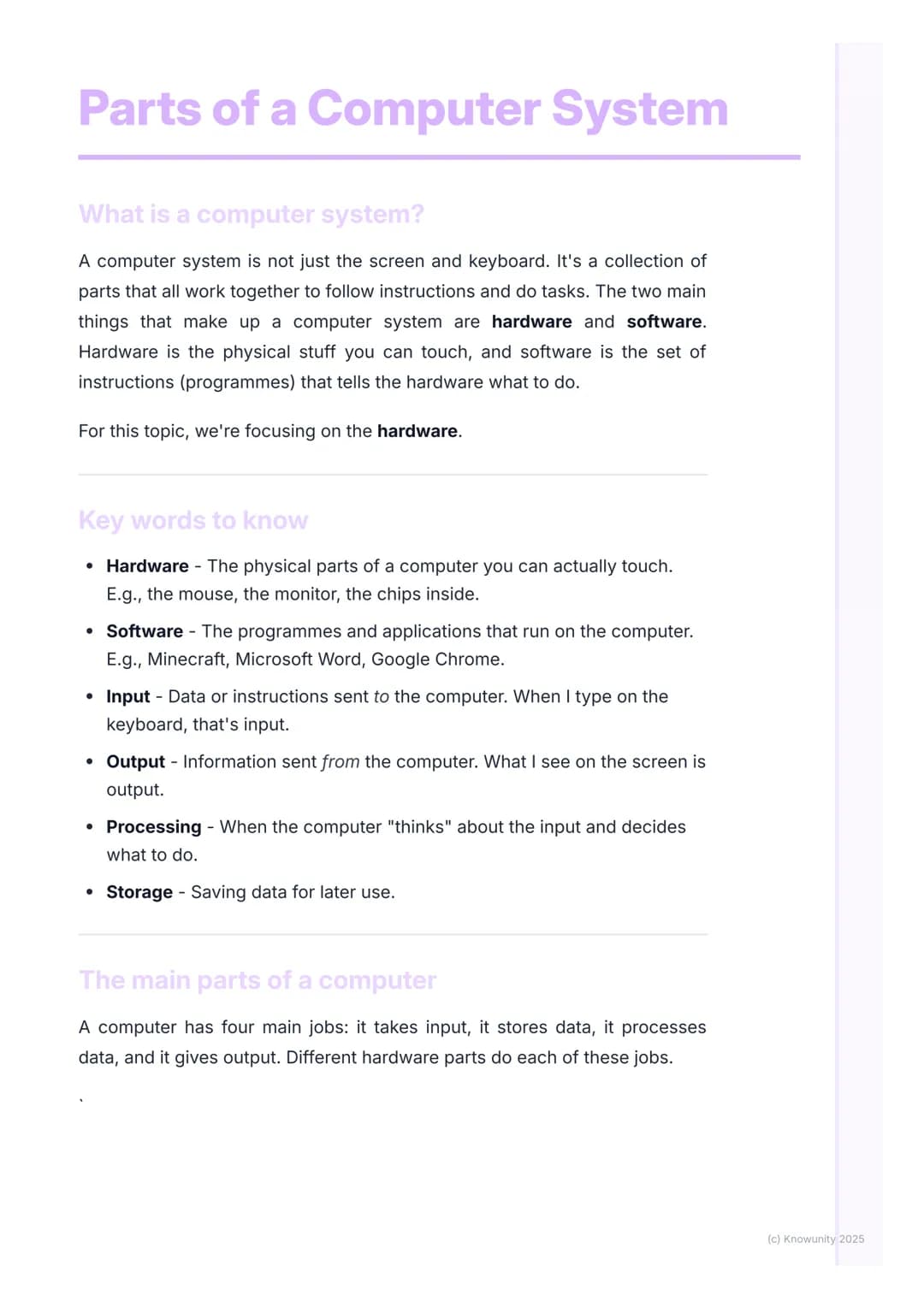
What Makes Up a Computer System?
Think of your computer like a brilliant assistant that can only work when all its parts cooperate perfectly. Hardware refers to all the physical bits you can actually touch - your mouse, screen, and all the clever chips hidden inside the case. Software is the collection of programmes and apps that tell the hardware exactly what to do, like Minecraft, Word, or Chrome.
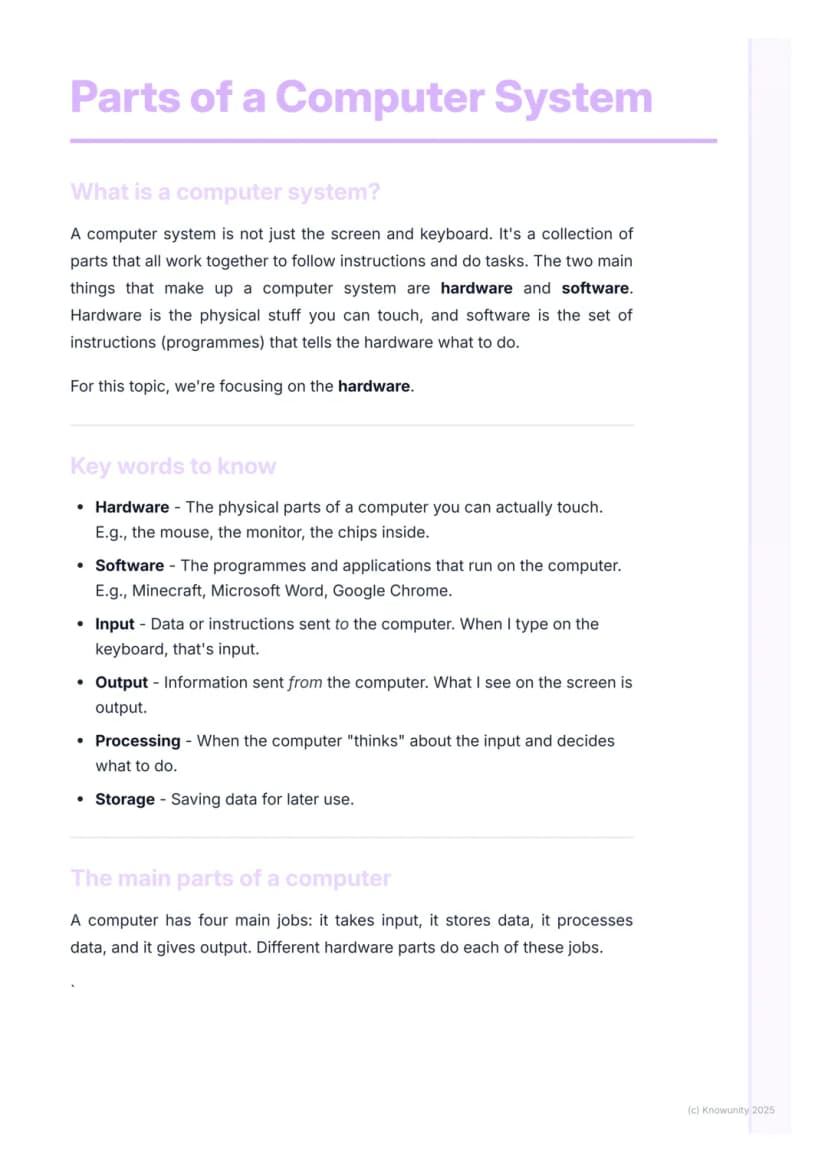
Every computer has four main jobs that keep it running smoothly. It takes in input (like when you type or click), processes that information (does the thinking), stores data safely, and produces output (shows you results on screen or through speakers).
Quick Tip: Remember that hardware is "hard" because you can touch it, whilst software is "soft" because it's just instructions you can't physically grab!
Understanding these basics will help you troubleshoot problems and make smarter choices about computers. You'll also ace any test questions about computer systems once you've got these fundamentals sorted.
2
of 5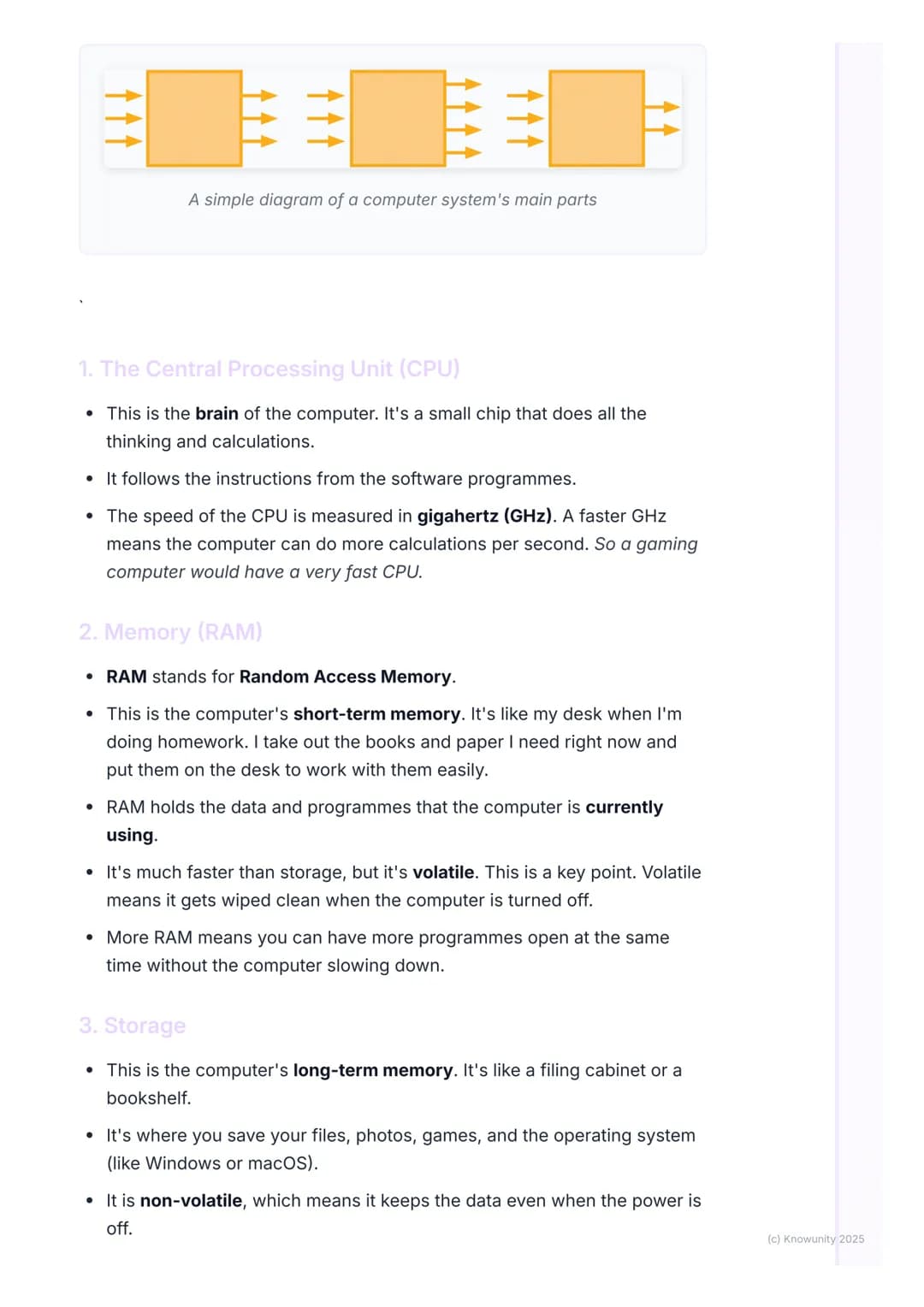
The CPU and Memory - Your Computer's Brain and Workspace
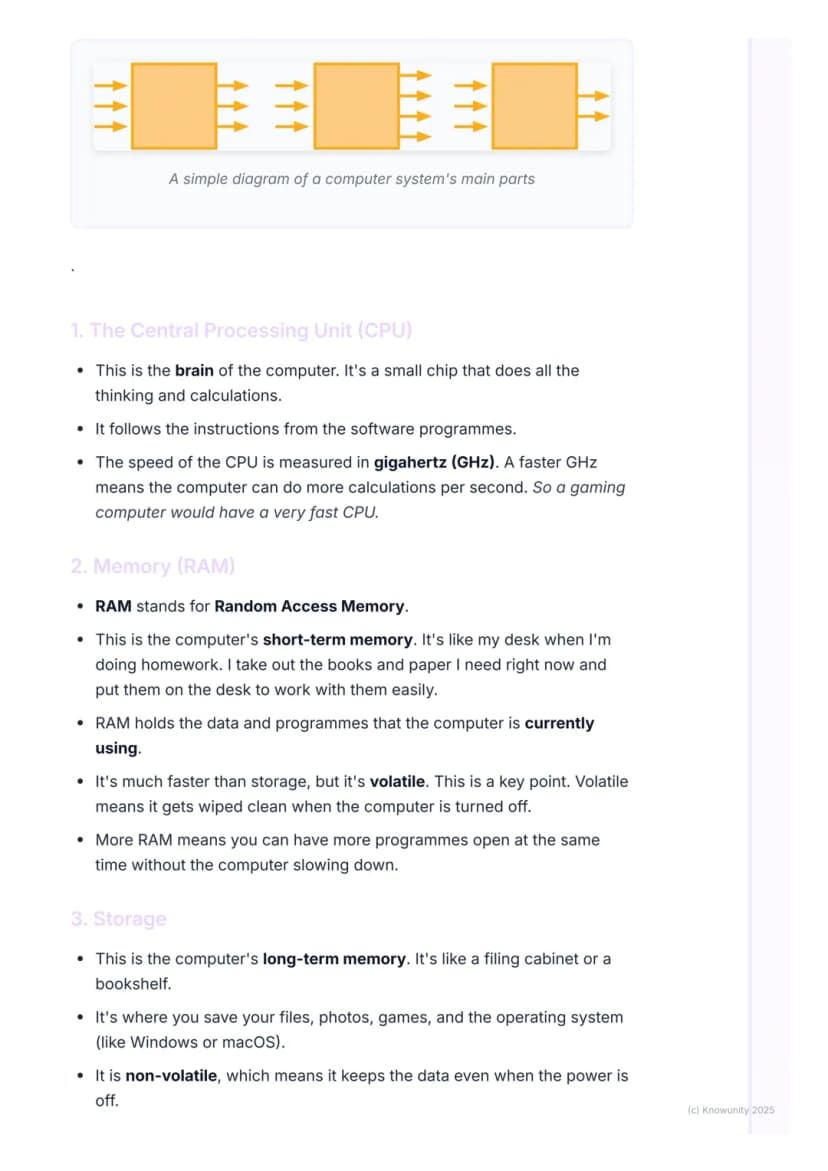
The Central Processing Unit (CPU) is literally the brain of your computer - a tiny but incredibly powerful chip that handles all the thinking and calculations. It follows every single instruction from your software programmes, and its speed gets measured in gigahertz (GHz). Higher GHz means more calculations per second, which explains why gaming computers need seriously fast CPUs.
Memory (RAM) works like your desk when you're doing homework. Just as you spread out the books and papers you're currently using across your desk for easy access, RAM holds the data and programmes your computer needs right now. This makes everything run much faster than constantly digging through storage.
Here's the crucial bit: RAM is volatile, meaning it gets completely wiped clean when you turn off your computer. It's lightning-fast but temporary. More RAM lets you run multiple programmes simultaneously without your computer grinding to a halt.
Memory Trick: RAM is like your desk - fast access to current work, but everything disappears when you "close up shop" for the day!
3
of 5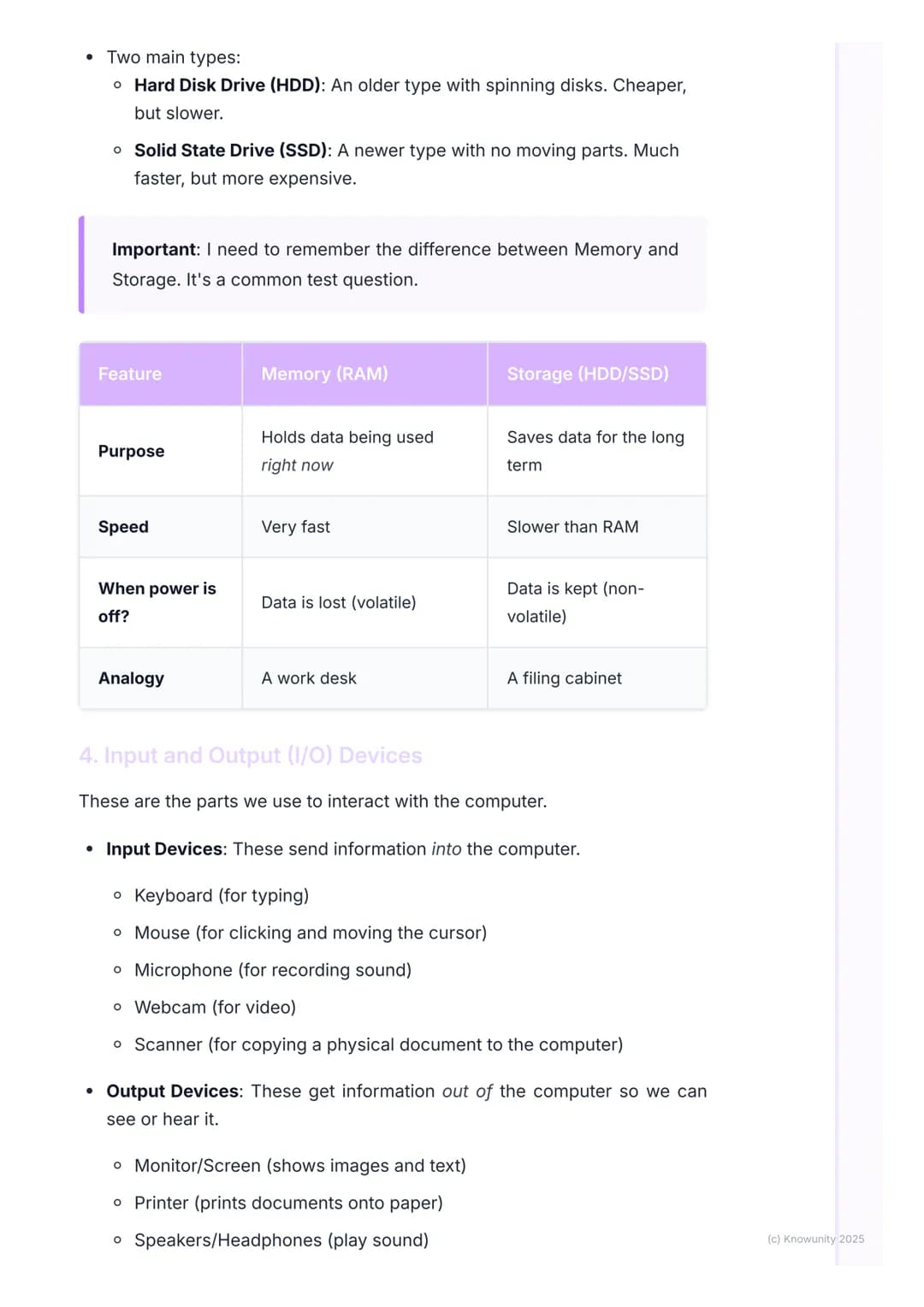
Storage - Your Computer's Filing Cabinet
Storage acts as your computer's long-term memory, like a massive filing cabinet that keeps everything safe and organised. Unlike RAM, storage is non-volatile, which means your files, photos, games, and operating system stay put even when the power's off.
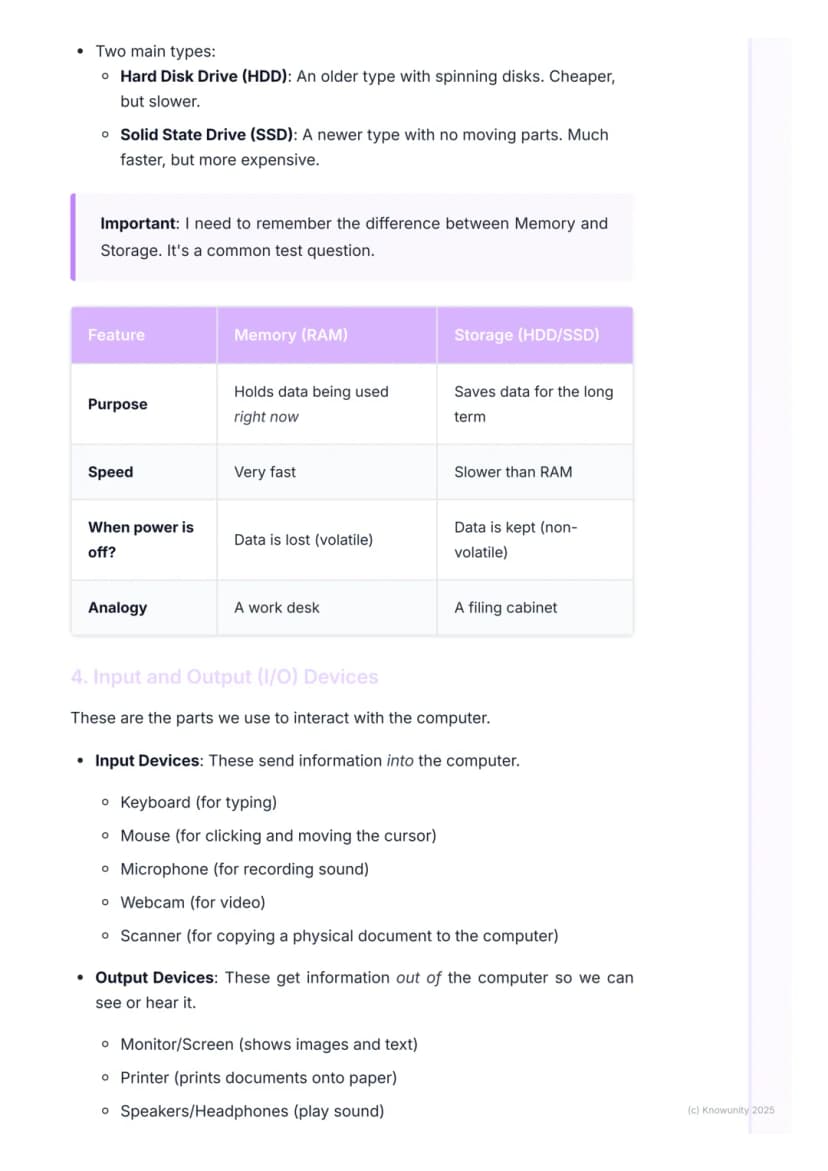
You'll encounter two main types of storage drives. Hard Disk Drives (HDDs) are the older option with spinning disks inside - they're cheaper but slower. Solid State Drives (SSDs) represent newer technology with no moving parts, making them much faster but pricier.
| Feature | Memory (RAM) | Storage (HDD/SSD) |
|---|---|---|
| Purpose | Current work | Long-term saving |
| Speed | Very fast | Slower than RAM |
| When power's off | Data vanishes | Data stays safe |
The key difference to remember: Memory is your temporary workspace (volatile), whilst Storage is your permanent filing system . This distinction appears frequently in test questions.
Test Alert: Remember that volatile means "vanishes" - RAM vanishes when power goes off, but storage stays safe!
4
of 5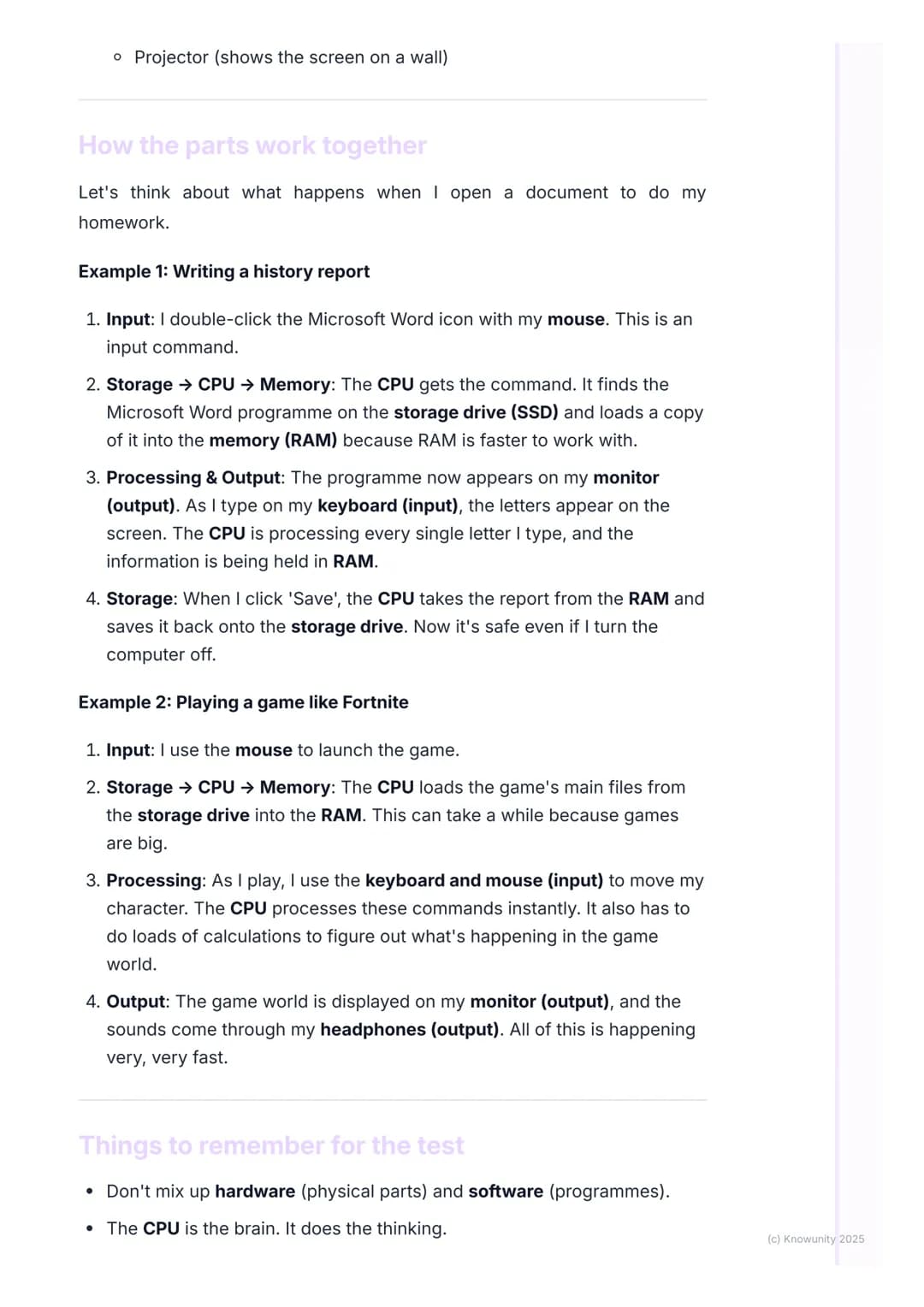
Input and Output Devices - How You Connect
Input devices send information into your computer, letting you communicate your intentions clearly. Your keyboard handles typing, your mouse manages clicking and cursor movement, and devices like microphones, webcams, and scanners capture sound, video, and images respectively.
Output devices work in reverse, getting information from your computer so you can see, hear, or physically use the results. Your monitor displays everything visually, printers create physical documents, speakers and headphones deliver audio, and projectors can share your screen with larger audiences.
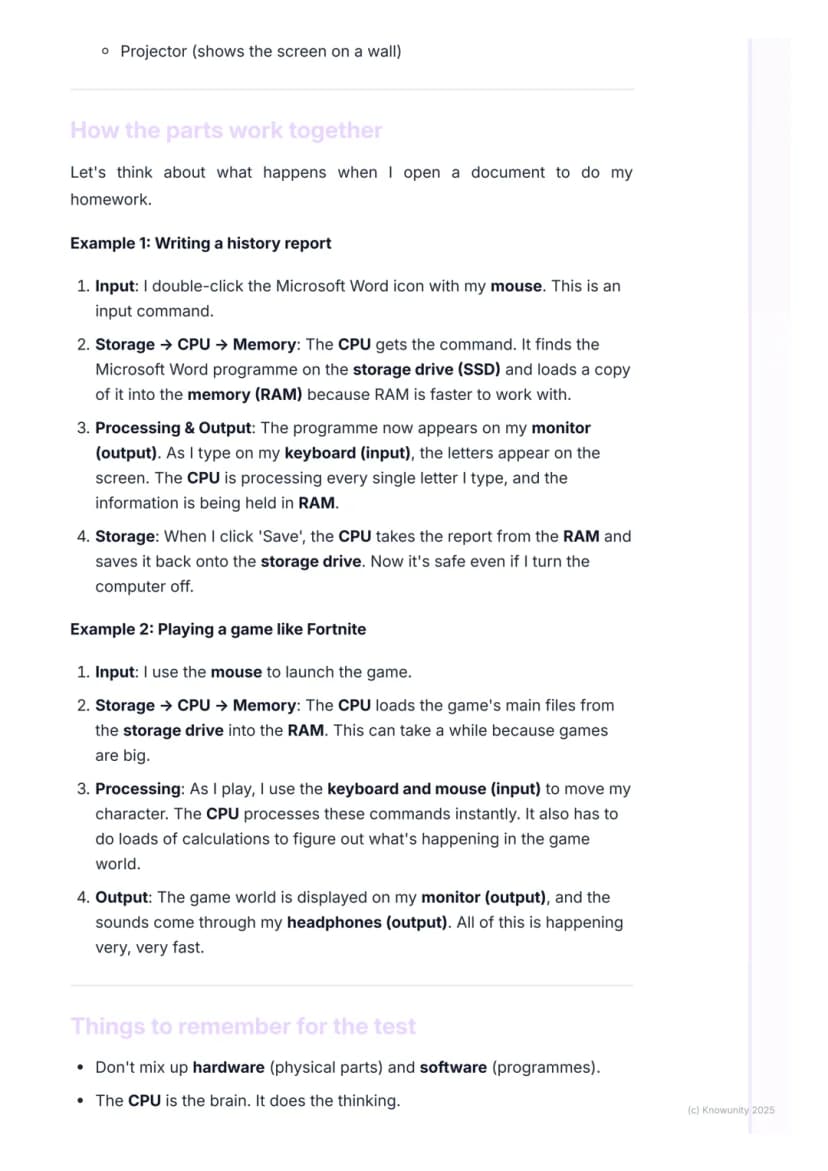
Think about writing a history report: you double-click Word with your mouse (input), the programme loads into RAM, appears on your monitor (output), and as you type (input), letters appear on screen (output). When you save, everything moves from temporary RAM to permanent storage.
Gaming provides an even more exciting example. After loading a game like Fortnite from storage into RAM, your keyboard and mouse inputs get processed instantly by the CPU, which calculates game world changes and displays results on your monitor whilst playing sounds through headphones.
Real-World Tip: Every time you interact with your computer, you're using input devices to send commands and output devices to see the results!
5
of 5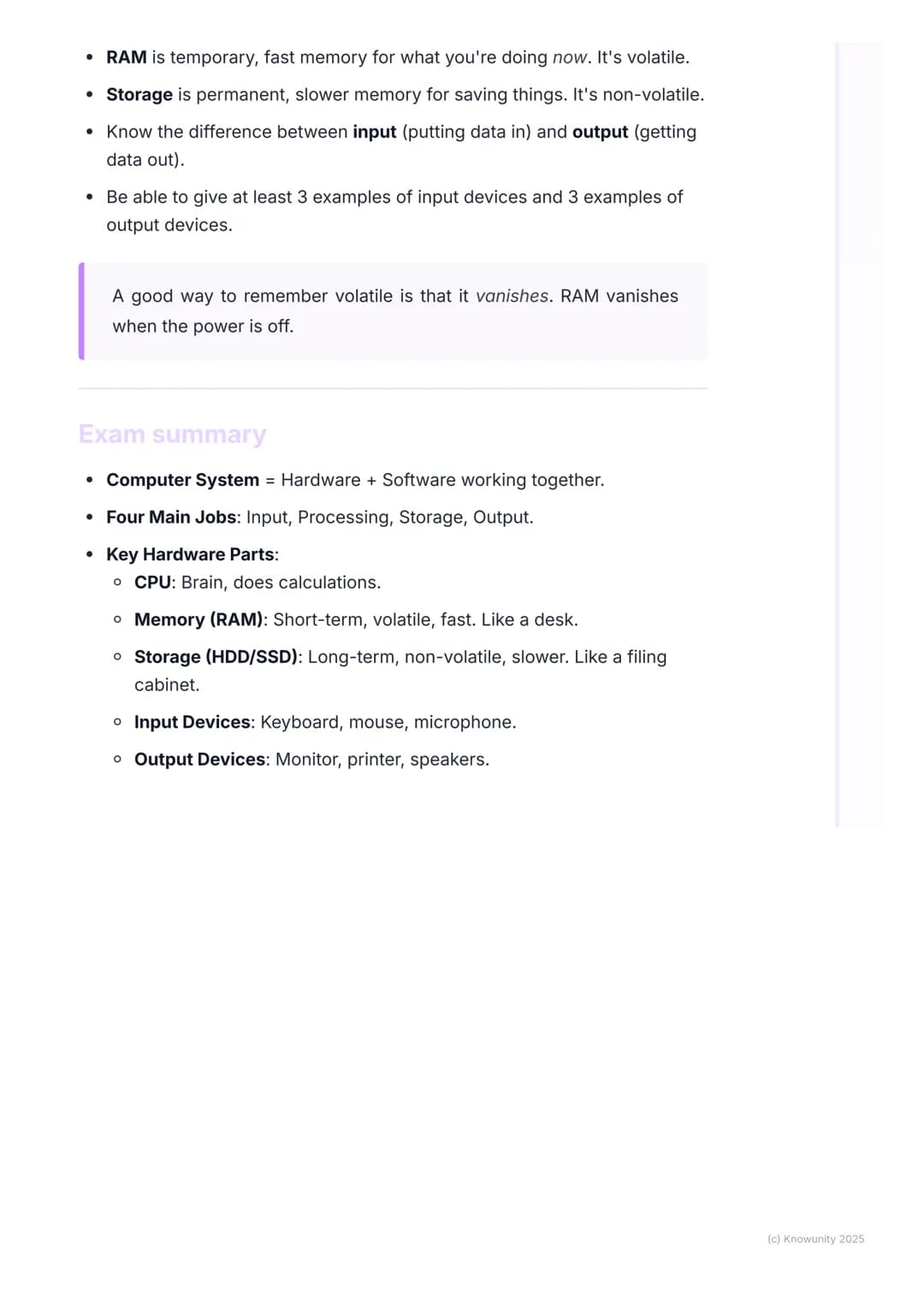
Putting It All Together - Test Success
Now you understand how computer systems combine hardware and software to handle four essential jobs: input, processing, storage, and output. Each component plays a specific role in this digital orchestra.
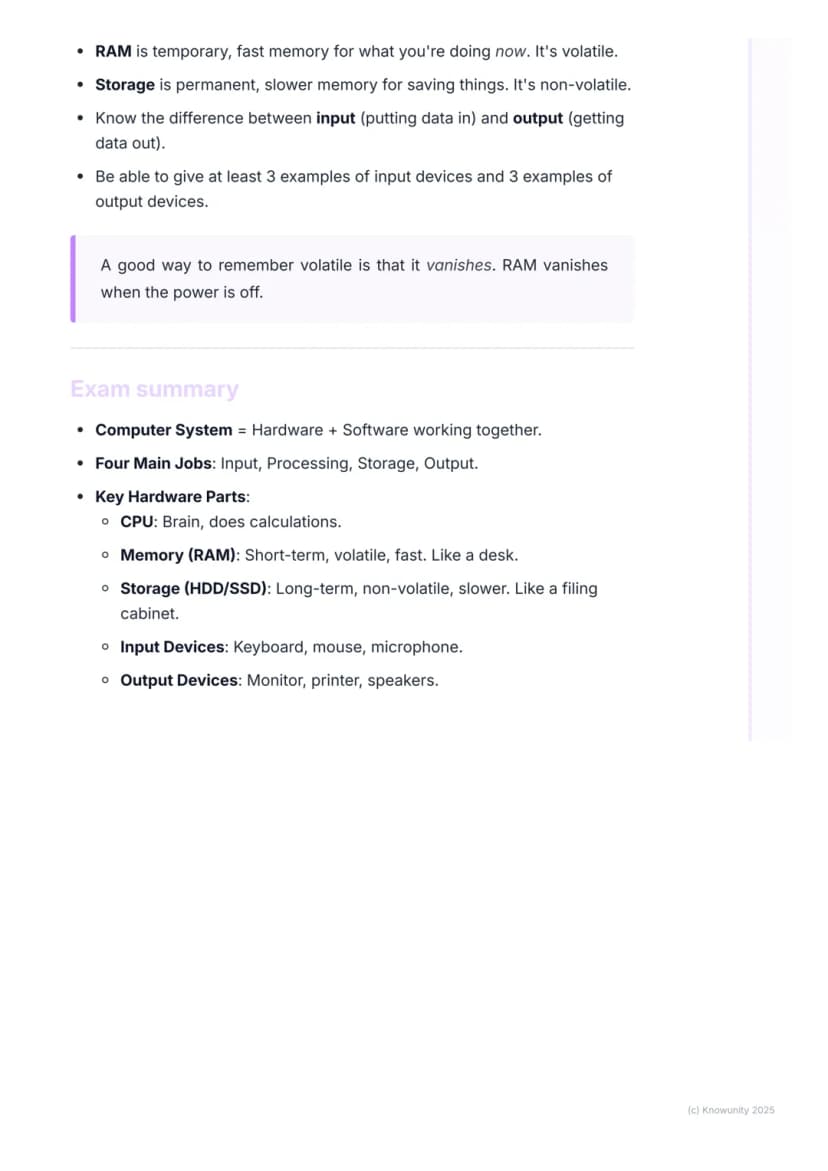
Remember the key players: the CPU serves as the brain doing all calculations, RAM provides fast temporary workspace (volatile), and storage drives offer permanent file keeping . Input devices like keyboards and mice send data in, whilst output devices like monitors and speakers present results.
For exam success, focus on these distinctions: hardware vs software, volatile vs non-volatile memory, and input vs output devices. Practice explaining how these parts work together using real examples like opening documents or playing games.
Exam Strategy: Use the desk (RAM) and filing cabinet (storage) analogy to explain memory vs storage - it's a guaranteed mark-grabber!
The beauty of understanding computer systems lies in recognising how elegantly all these components cooperate. Once you've mastered these fundamentals, you'll find troubleshooting problems and making tech decisions much easier.
Wir dachten schon, du fragst nie...
Was ist der Knowunity KI-Begleiter?
Unser KI-Begleiter ist ein speziell für Schüler entwickeltes KI-Tool, das mehr als nur Antworten bietet. Basierend auf Millionen von Knowunity-Inhalten liefert er relevante Informationen, personalisierte Lernpläne, Quizze und Inhalte direkt im Chat und passt sich deinem individuellen Lernweg an.
Wo kann ich die Knowunity-App herunterladen?
Du kannst die App im Google Play Store und im Apple App Store herunterladen.
Ist Knowunity wirklich kostenlos?
Genau! Genieße kostenlosen Zugang zu Lerninhalten, vernetze dich mit anderen Schülern und hol dir sofortige Hilfe – alles direkt auf deinem Handy.
Beliebtester Inhalt
9 Irish
IrishIrish oral questions and answers
Questions and answers for the leaving cert oral
5th Year4254
IrishIrish oral questions
Outline of oral questions
5th Year2055
 English
Key Quotes : Sive
Key Quotes and explanations: Sive
6th Year2822
IrishIníon- le hÁine Durkin
Aine Durkin’s poem, Iníon: Themes & summary
5th Year850
IrishIrish poetry 2027
Iníon + Dínit an Bhróin
5th Year1133
IrishLC HL notes- Iníon (poem)
Includes poem in English and Irish, theme, key words & phrases
5th Year2284
IrishGaeilge Grammar Office
All the basics you need to know on Irish grammar.
6th Year1013
EnglishCultural Context : Shawshank Redemption : Sive : Small Things Like These
Comparative Study : Cultural Context : Shawshank Redemption, Sive and Small Things Like These
6th Year1420
IrishAn Gaeilge Aiste
Irish Language essay
6th Year1310
Findest du nicht, was du suchst? Entdecke andere Fächer.
Schüler lieben uns — und du auch.
4.6/5App Store
4.7/5Google Play
Die App ist sehr einfach zu bedienen und gut gestaltet. Ich habe bisher alles gefunden, wonach ich gesucht habe, und konnte viel aus den Präsentationen lernen! Ich werde die App definitiv für ein Schulprojekt nutzen! Und natürlich hilft sie auch sehr als Inspiration.
Stefan SiOS-Nutzer
Diese App ist wirklich super. Es gibt so viele Lernzettel und Hilfen [...]. Mein Problemfach ist zum Beispiel Französisch und die App hat so viele Möglichkeiten zur Hilfe. Dank dieser App habe ich mich in Französisch verbessert. Ich würde sie jedem empfehlen.
Samantha KlichAndroid-Nutzerin
Wow, ich bin wirklich begeistert. Ich habe die App einfach mal ausprobiert, weil ich sie schon oft beworben gesehen habe und war absolut beeindruckt. Diese App ist DIE HILFE, die man für die Schule braucht und vor allem bietet sie so viele Dinge wie Übungen und Lernzettel, die mir persönlich SEHR geholfen haben.
AnnaiOS-Nutzerin
Applied Technology1 aufrufe·Aktualisiert May 24, 2026·5 SeitenUnderstanding the Key Parts of a Computer System
Ever wondered what's actually happening inside your computer when you're playing games or doing homework? A computer system is way more than just a screen and keyboard - it's a collection of physical parts (hardware) and programmes (software) that work... Mehr anzeigen
1
of 5Melde dich an, um den Inhalt zu sehen. Kostenlos!
- Zugriff auf alle Dokumente
- Verbessere deine Noten
- Schließ dich Millionen Schülern an
What Makes Up a Computer System?
Think of your computer like a brilliant assistant that can only work when all its parts cooperate perfectly. Hardware refers to all the physical bits you can actually touch - your mouse, screen, and all the clever chips hidden inside the case. Software is the collection of programmes and apps that tell the hardware exactly what to do, like Minecraft, Word, or Chrome.
Every computer has four main jobs that keep it running smoothly. It takes in input (like when you type or click), processes that information (does the thinking), stores data safely, and produces output (shows you results on screen or through speakers).
Quick Tip: Remember that hardware is "hard" because you can touch it, whilst software is "soft" because it's just instructions you can't physically grab!
Understanding these basics will help you troubleshoot problems and make smarter choices about computers. You'll also ace any test questions about computer systems once you've got these fundamentals sorted.
2
of 5Melde dich an, um den Inhalt zu sehen. Kostenlos!
- Zugriff auf alle Dokumente
- Verbessere deine Noten
- Schließ dich Millionen Schülern an
The CPU and Memory - Your Computer's Brain and Workspace
The Central Processing Unit (CPU) is literally the brain of your computer - a tiny but incredibly powerful chip that handles all the thinking and calculations. It follows every single instruction from your software programmes, and its speed gets measured in gigahertz (GHz). Higher GHz means more calculations per second, which explains why gaming computers need seriously fast CPUs.
Memory (RAM) works like your desk when you're doing homework. Just as you spread out the books and papers you're currently using across your desk for easy access, RAM holds the data and programmes your computer needs right now. This makes everything run much faster than constantly digging through storage.
Here's the crucial bit: RAM is volatile, meaning it gets completely wiped clean when you turn off your computer. It's lightning-fast but temporary. More RAM lets you run multiple programmes simultaneously without your computer grinding to a halt.
Memory Trick: RAM is like your desk - fast access to current work, but everything disappears when you "close up shop" for the day!
3
of 5Melde dich an, um den Inhalt zu sehen. Kostenlos!
- Zugriff auf alle Dokumente
- Verbessere deine Noten
- Schließ dich Millionen Schülern an
Storage - Your Computer's Filing Cabinet
Storage acts as your computer's long-term memory, like a massive filing cabinet that keeps everything safe and organised. Unlike RAM, storage is non-volatile, which means your files, photos, games, and operating system stay put even when the power's off.
You'll encounter two main types of storage drives. Hard Disk Drives (HDDs) are the older option with spinning disks inside - they're cheaper but slower. Solid State Drives (SSDs) represent newer technology with no moving parts, making them much faster but pricier.
| Feature | Memory (RAM) | Storage (HDD/SSD) |
|---|---|---|
| Purpose | Current work | Long-term saving |
| Speed | Very fast | Slower than RAM |
| When power's off | Data vanishes | Data stays safe |
The key difference to remember: Memory is your temporary workspace (volatile), whilst Storage is your permanent filing system . This distinction appears frequently in test questions.
Test Alert: Remember that volatile means "vanishes" - RAM vanishes when power goes off, but storage stays safe!
4
of 5Melde dich an, um den Inhalt zu sehen. Kostenlos!
- Zugriff auf alle Dokumente
- Verbessere deine Noten
- Schließ dich Millionen Schülern an
Input and Output Devices - How You Connect
Input devices send information into your computer, letting you communicate your intentions clearly. Your keyboard handles typing, your mouse manages clicking and cursor movement, and devices like microphones, webcams, and scanners capture sound, video, and images respectively.
Output devices work in reverse, getting information from your computer so you can see, hear, or physically use the results. Your monitor displays everything visually, printers create physical documents, speakers and headphones deliver audio, and projectors can share your screen with larger audiences.
Think about writing a history report: you double-click Word with your mouse (input), the programme loads into RAM, appears on your monitor (output), and as you type (input), letters appear on screen (output). When you save, everything moves from temporary RAM to permanent storage.
Gaming provides an even more exciting example. After loading a game like Fortnite from storage into RAM, your keyboard and mouse inputs get processed instantly by the CPU, which calculates game world changes and displays results on your monitor whilst playing sounds through headphones.
Real-World Tip: Every time you interact with your computer, you're using input devices to send commands and output devices to see the results!
5
of 5Melde dich an, um den Inhalt zu sehen. Kostenlos!
- Zugriff auf alle Dokumente
- Verbessere deine Noten
- Schließ dich Millionen Schülern an
Putting It All Together - Test Success
Now you understand how computer systems combine hardware and software to handle four essential jobs: input, processing, storage, and output. Each component plays a specific role in this digital orchestra.
Remember the key players: the CPU serves as the brain doing all calculations, RAM provides fast temporary workspace (volatile), and storage drives offer permanent file keeping . Input devices like keyboards and mice send data in, whilst output devices like monitors and speakers present results.
For exam success, focus on these distinctions: hardware vs software, volatile vs non-volatile memory, and input vs output devices. Practice explaining how these parts work together using real examples like opening documents or playing games.
Exam Strategy: Use the desk (RAM) and filing cabinet (storage) analogy to explain memory vs storage - it's a guaranteed mark-grabber!
The beauty of understanding computer systems lies in recognising how elegantly all these components cooperate. Once you've mastered these fundamentals, you'll find troubleshooting problems and making tech decisions much easier.
Wir dachten schon, du fragst nie...
Was ist der Knowunity KI-Begleiter?
Unser KI-Begleiter ist ein speziell für Schüler entwickeltes KI-Tool, das mehr als nur Antworten bietet. Basierend auf Millionen von Knowunity-Inhalten liefert er relevante Informationen, personalisierte Lernpläne, Quizze und Inhalte direkt im Chat und passt sich deinem individuellen Lernweg an.
Wo kann ich die Knowunity-App herunterladen?
Du kannst die App im Google Play Store und im Apple App Store herunterladen.
Ist Knowunity wirklich kostenlos?
Genau! Genieße kostenlosen Zugang zu Lerninhalten, vernetze dich mit anderen Schülern und hol dir sofortige Hilfe – alles direkt auf deinem Handy.
Beliebtester Inhalt
9IrishIrish oral questions and answers
Questions and answers for the leaving cert oral
5th Year4254
IrishIrish oral questions
Outline of oral questions
5th Year2055
EnglishKey Quotes : Sive
Key Quotes and explanations: Sive
6th Year2822
IrishIníon- le hÁine Durkin
Aine Durkin’s poem, Iníon: Themes & summary
5th Year850
IrishIrish poetry 2027
Iníon + Dínit an Bhróin
5th Year1133
IrishLC HL notes- Iníon (poem)
Includes poem in English and Irish, theme, key words & phrases
5th Year2284
IrishGaeilge Grammar Office
All the basics you need to know on Irish grammar.
6th Year1013
EnglishCultural Context : Shawshank Redemption : Sive : Small Things Like These
Comparative Study : Cultural Context : Shawshank Redemption, Sive and Small Things Like These
6th Year1420
IrishAn Gaeilge Aiste
Irish Language essay
6th Year1310
Findest du nicht, was du suchst? Entdecke andere Fächer.
Schüler lieben uns — und du auch.
4.6/5App Store
4.7/5Google Play
Die App ist sehr einfach zu bedienen und gut gestaltet. Ich habe bisher alles gefunden, wonach ich gesucht habe, und konnte viel aus den Präsentationen lernen! Ich werde die App definitiv für ein Schulprojekt nutzen! Und natürlich hilft sie auch sehr als Inspiration.
Stefan SiOS-Nutzer
Diese App ist wirklich super. Es gibt so viele Lernzettel und Hilfen [...]. Mein Problemfach ist zum Beispiel Französisch und die App hat so viele Möglichkeiten zur Hilfe. Dank dieser App habe ich mich in Französisch verbessert. Ich würde sie jedem empfehlen.
Samantha KlichAndroid-Nutzerin
Wow, ich bin wirklich begeistert. Ich habe die App einfach mal ausprobiert, weil ich sie schon oft beworben gesehen habe und war absolut beeindruckt. Diese App ist DIE HILFE, die man für die Schule braucht und vor allem bietet sie so viele Dinge wie Übungen und Lernzettel, die mir persönlich SEHR geholfen haben.
AnnaiOS-Nutzerin